

AI photo culling & organization
Cull the shoot.
Keep the shots.
Monarch triages large shoots the way you would — just faster. It reviews every image, measures, sorts for candidacy, can layer in creative logic for keeping, and hands the calls back to Lightroom so you spend your time editing, not sifting.
Features
Source to Lightroom, in one pass
- 01
Starts where your shoot already is
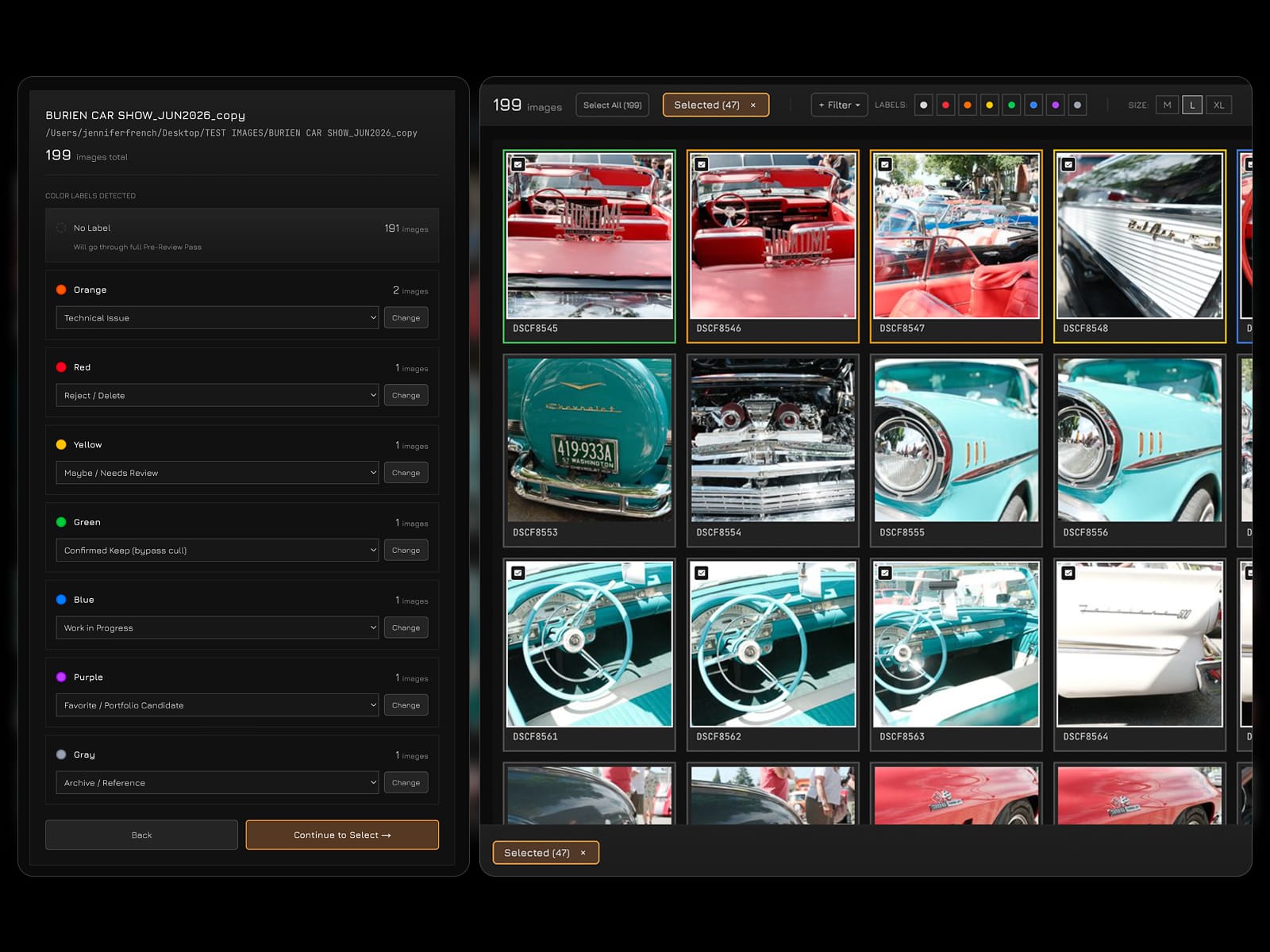
Point Monarch at a folder and it imports every frame, reading and preserving any OS color labels you've already applied. Once imported, bulk-select any run of images and batch-process the whole shoot in a single pass.
- 02
Every frame's metadata, ready to work with
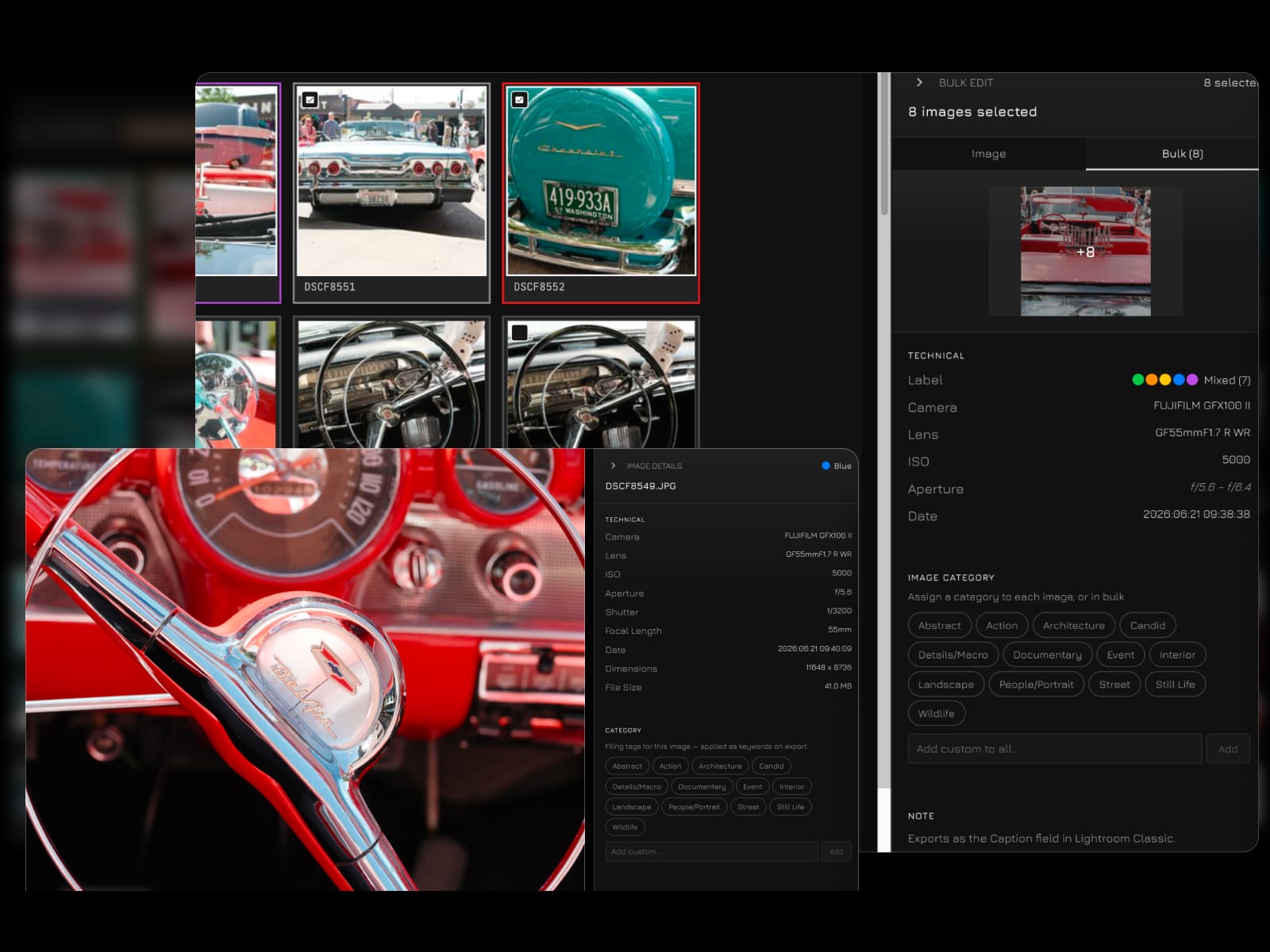
Monarch imports the EXIF your camera recorded — body, lens, ISO, aperture, shutter — for you to view at a glance. Apply categories, labels, notes and crop-intent to a single frame, or to a whole selection at once.
- 03
Set the brief, configure your tiers
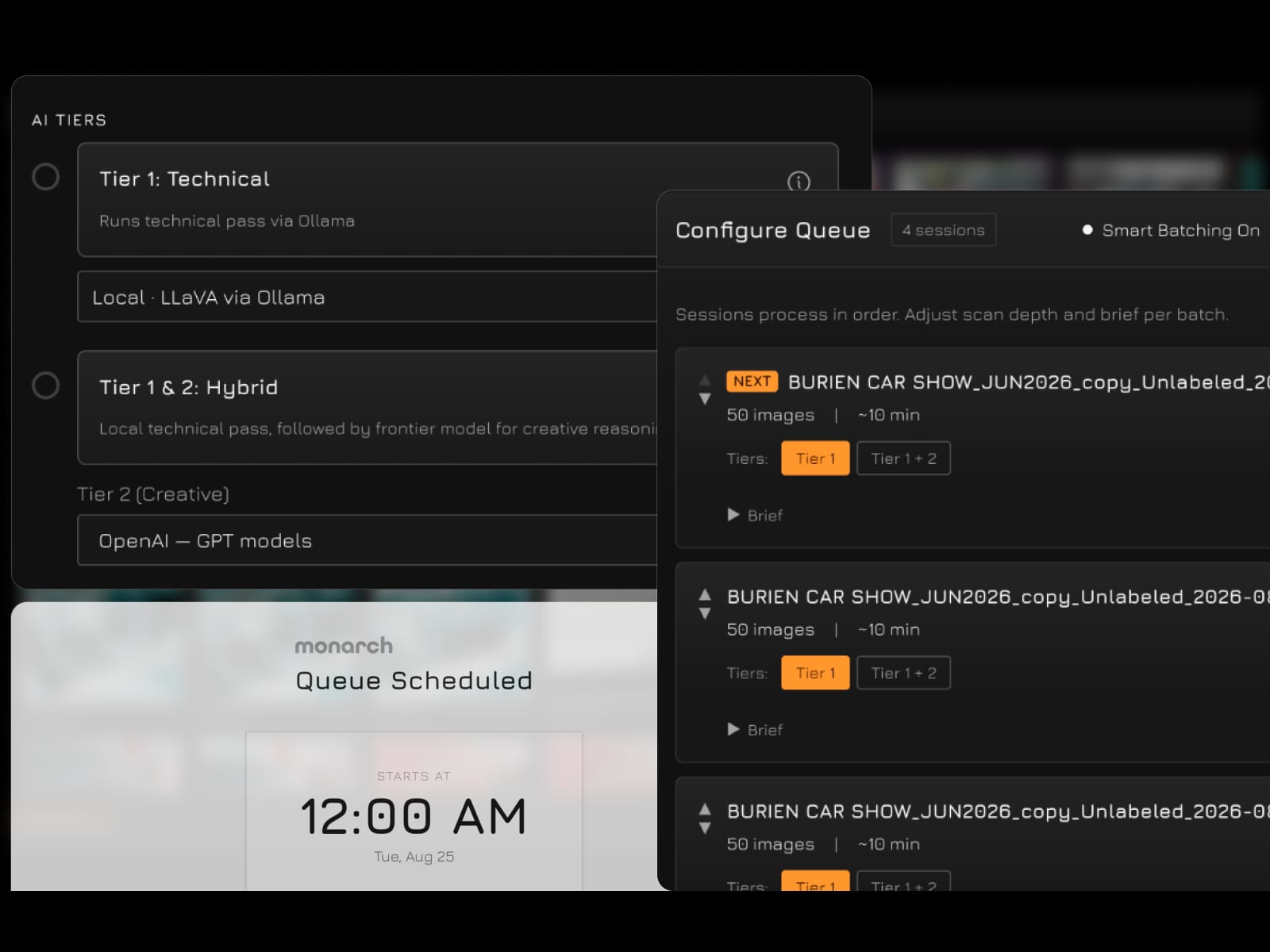
Tell Monarch what you're looking for in a sentence, then pick the depth: Tier 1 runs a local technical pass through Ollama at no cost, or add Tier 2 to layer a frontier model's creative judgement on top. Queue the sessions and schedule the whole run overnight.
- 04
Runs the pass, sorts as it goes
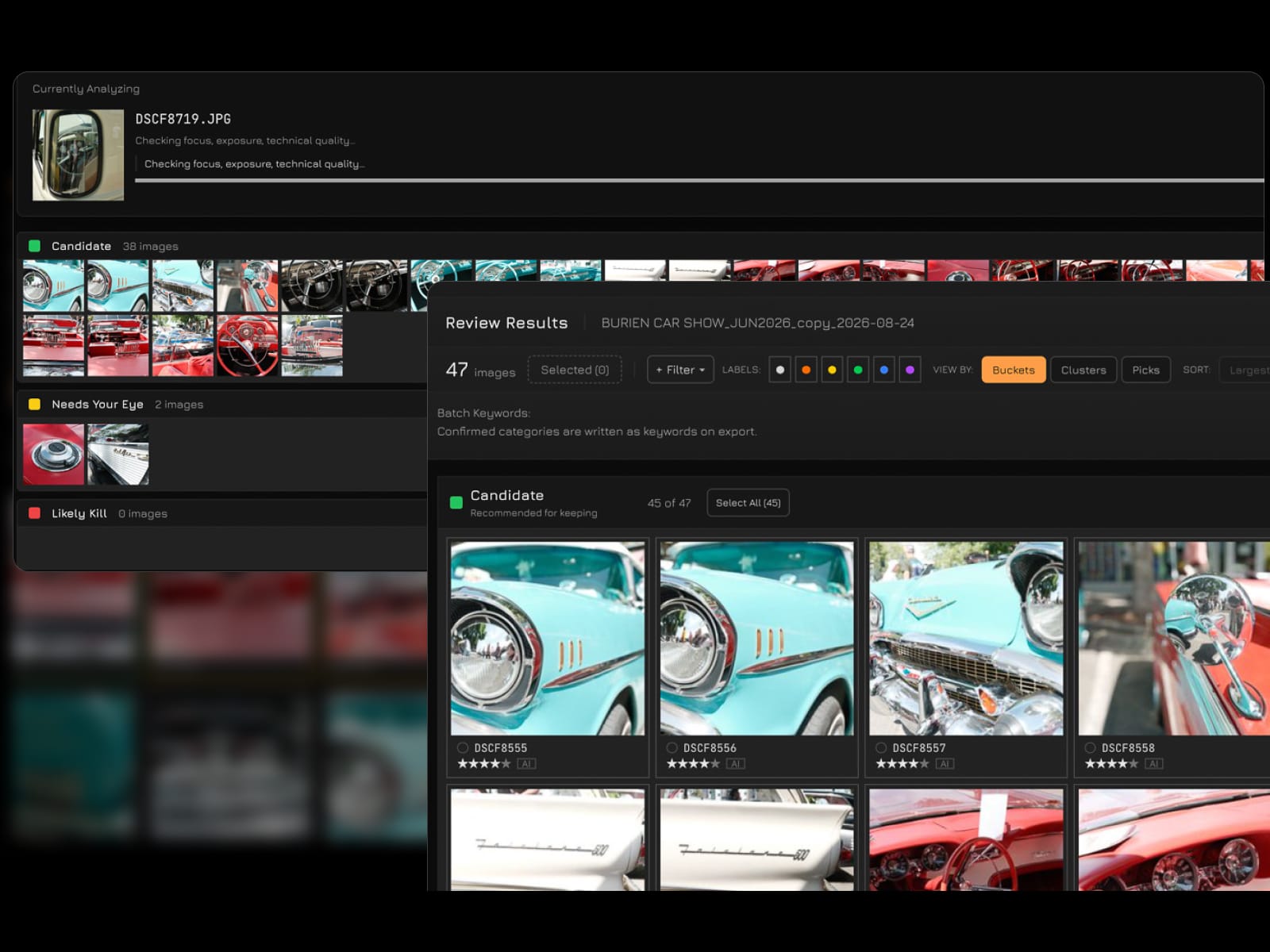
Monarch works through the folder a frame at a time, measuring focus, exposure and motion, and drops each image into Candidate, Needs Your Eye, or Likely Kill while you watch. Hundreds of frames triage themselves without you touching the keyboard.
- 05
Picks the best of each set — and tells you why
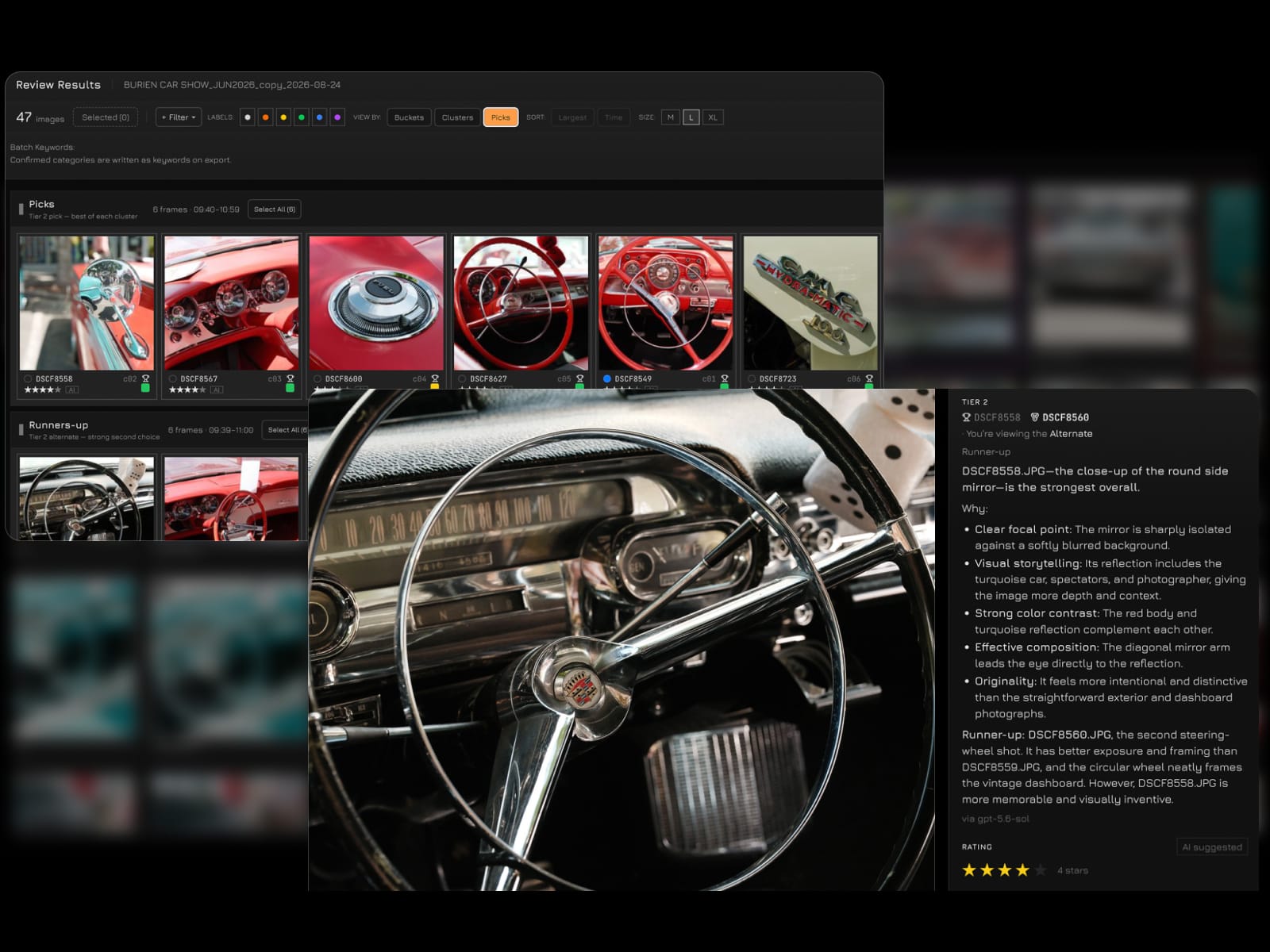
Within every burst and variant group, Tier 2 names the strongest frame and the runner-up, and explains the call in plain language: focal point, framing, contrast, story. When the optics look off it routes the frame to Needs Your Eye and says so, rather than deciding for you.
- 06
Writes the results into your files
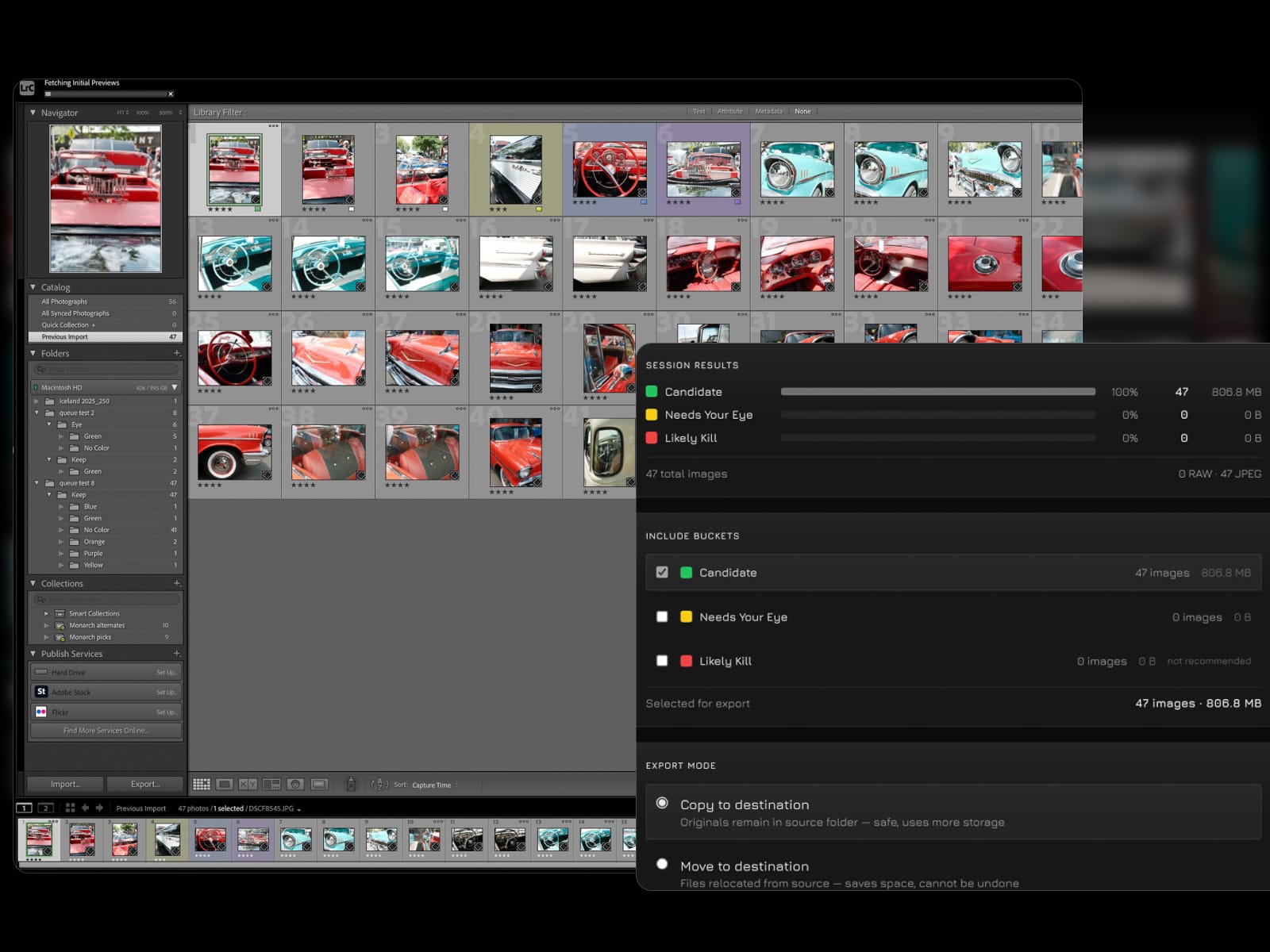
On export, star ratings, color labels, keywords and the full reasoning are written into the files themselves — no sidecars, no plugin. Choose copy or move, organise into per-color folders, and Lightroom or Capture One reads it all on import.
- 07
Your picks and reasoning, native in Lightroom
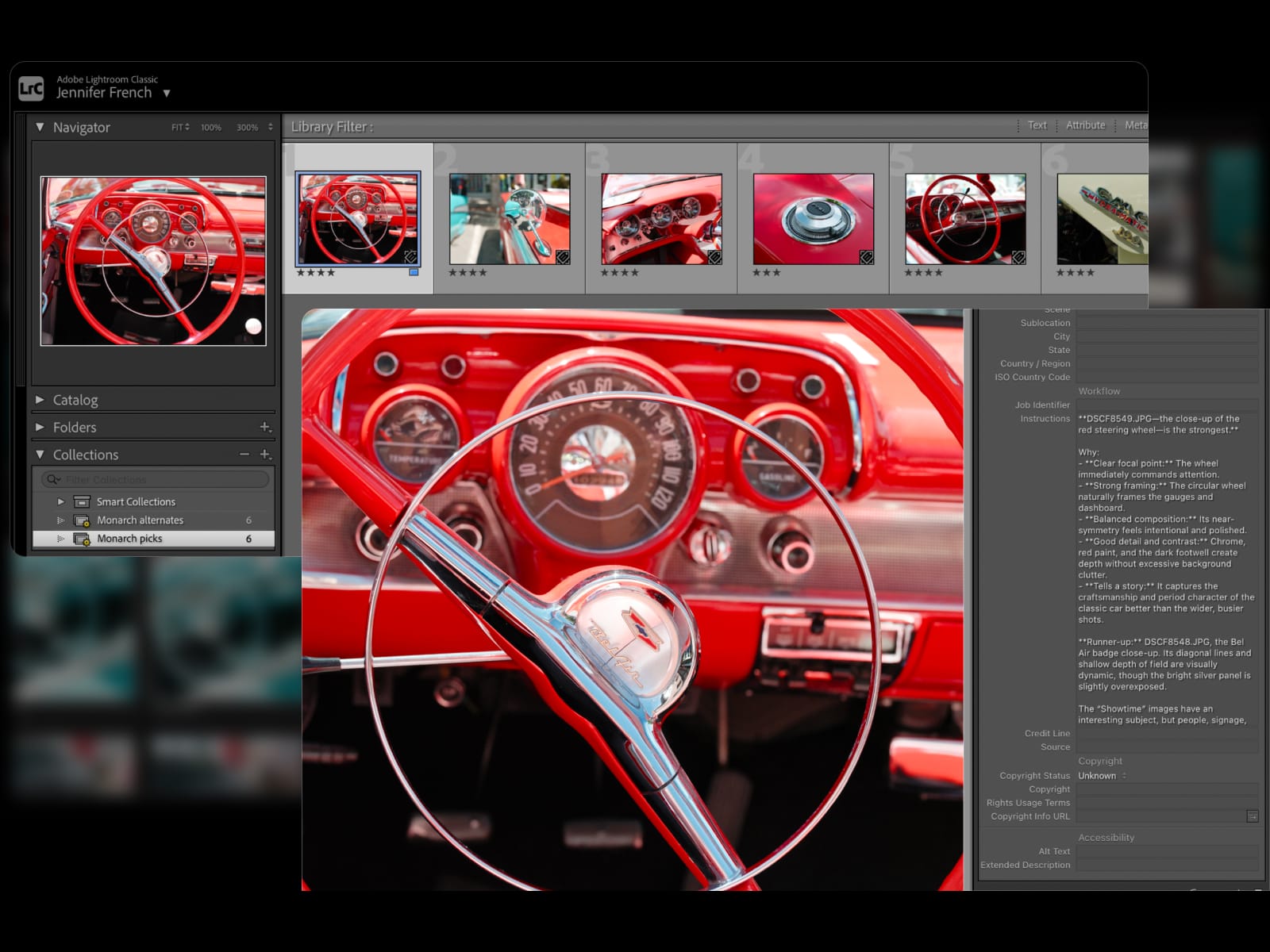
Import and it's all already there: ratings and labels on every frame, monarch-picks and monarch-alternates as Smart Collections, and Monarch's reasoning sitting in the caption field. Filter to the picks and step straight through them in Develop.
Before you start:
Monarch runs the technical pass on your own machine, so your photographs never leave it. That means one free download before you start.
- 01
macOS on Apple Silicon
Monarch is currently a Mac app, built for M-series machines.
- 02
Ollama — free, and the reason Tier 1 costs nothing
The local vision model that runs the technical pass. Download from ollama.com, then pull the model Monarch uses:
ollama pull llavaAbout 4.5GB.
- 03
An API key — only if you want Tier 2
Tier 2 — the creative comparison pass, "which of these is better and why" — runs on a frontier model, so it needs your own API key from OpenAI or Anthropic. You pay them directly; Monarch stores the key in your macOS Keychain and never sees your account. Tier 1 works fully without this.